|
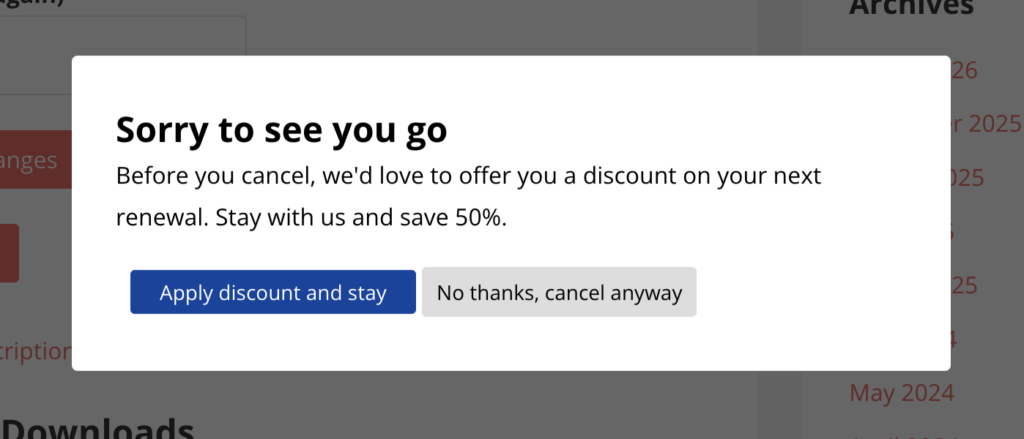
Stop your subscribers from walking out the door.
|
Did you know you can trigger a specific "Retention Offer" coupon inside your cancellation flow?
|
|
Most publishers let revenue walk away without a fight. By using a specialized Retention Offer, you can catch a subscriber at the exact moment they attempt to leave and give them a reason to stay.
|
|
Unlike a standard discount, this coupon is invisible on your registration page. It only appears to people who hit the cancel button.
|
|
How to set it up in under 3 minutes:
|
-
Create the Coupon: Go to Leaky Paywall > Coupons > Add New. Set the "Coupon Type" to Retention Offer.
-
Enable the Offer: Go to Leaky Paywall > Settings > Payments > Recurring Payments. Toggle on the "Retention Offer" and select your coupon.
|
|
Subscribers can only accept a retention offer once. They can’t "game" your pricing by trying to cancel every few months just to get a discount.
|
|
This even works for trial subscribers, turning a potential "bounce" into a paid conversion.
|
|
Want to see how to customize the cancellation survey or track your "Saves" dashboard?
|
© 2026 Leaky Paywall
PO Box 855 Grantham, NH 03753 |
|
|
|
|
|