|
Five plays that turn reader behavior into revenue.
|
Most publishers can tell you how many subscribers they have. Far fewer can tell you which free readers are about to pay, which checkouts are slipping away, or which subscribers are about to walk. That gap is where revenue leaks.
|
|
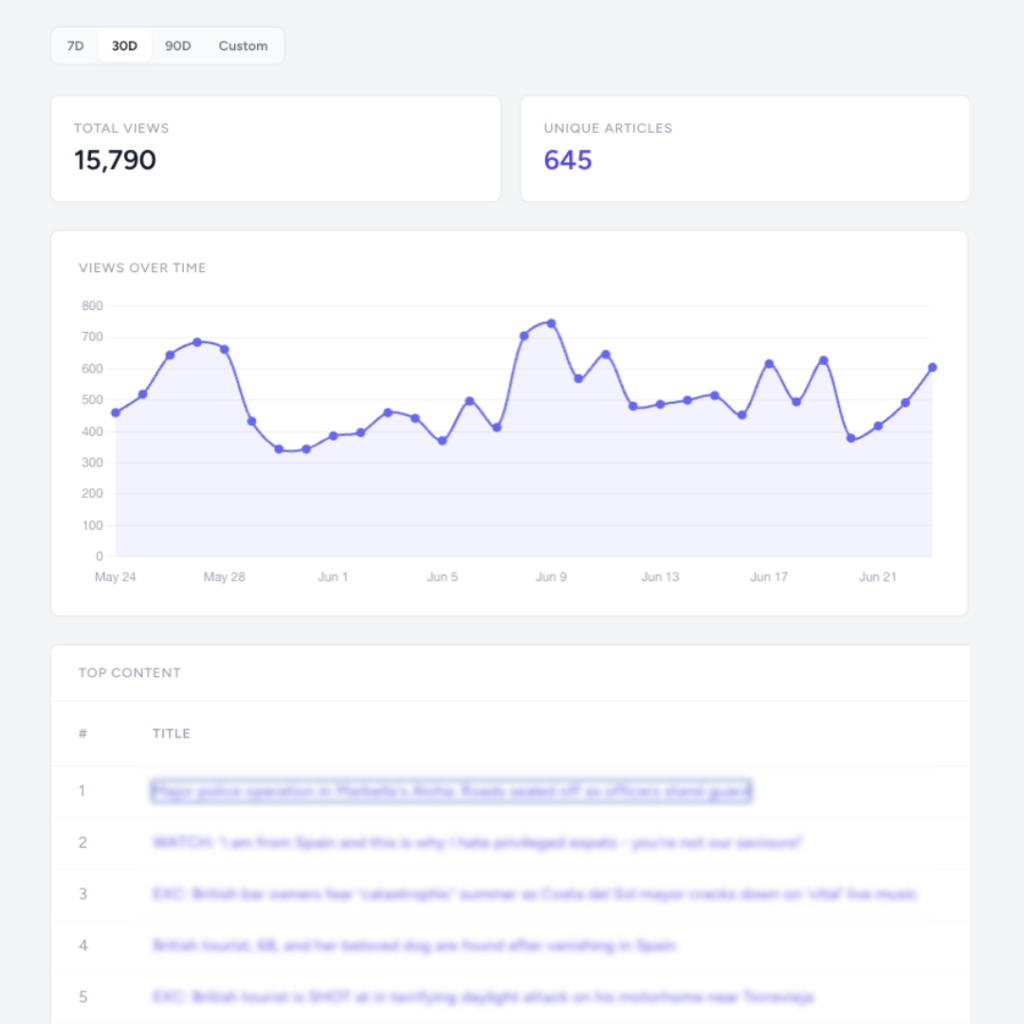
Insights closes the gap by turning logged-in reader behavior into a short list of actions worth taking this week.
|
|
If you're on any of our monthly paid plans, Insights is completely free and already included.
|
|
Here are the plays you can run with it, and why each one works.
|
Treat an abandoned checkout as a warm lead
|
|
A reader who started your registration form and walked away is the warmest lead you have. They wanted in. Something small stopped them: a distraction, a price hesitation, a phone call. That relationship is recoverable, and most publishers never try.
|
|
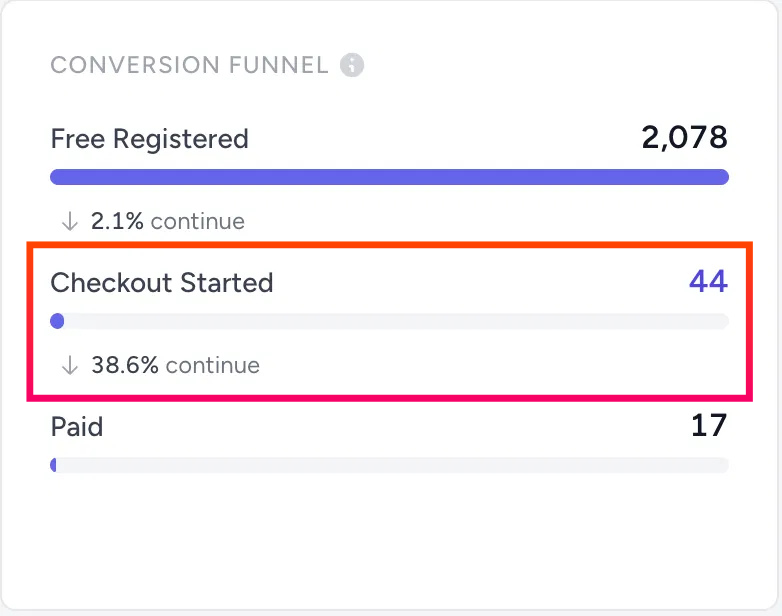
Insights flags the exact readers who started checking out but didn't finish. In a recent network sample, 44 checkout starts resulted in 17 completions, a 38.6% conversion rate, which means roughly three in five high-intent readers slip away before paying. Pull those email addresses, send a short follow-up with a 10% discount or a simple reminder, and you recover sales you'd otherwise count as gone.
|
Time your upgrade offer to reader intent
|
|
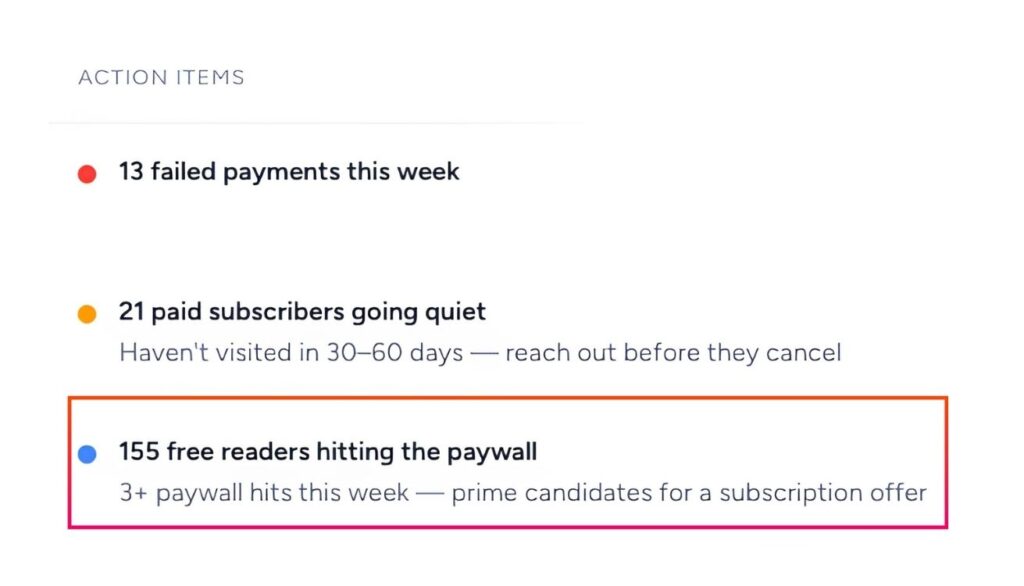
The single most reliable signal that a free reader is ready to pay is repeated paywall contact. Someone who hits your wall three or more times in a week is telling you they value the content. A generic monthly blast misses that window. A targeted offer at the moment of friction catches it.
|
|
Insights breaks your audience down so you can see exactly who's in that cohort. One publisher tracked this engagement level closely and scaled their premium subscriber revenue alongside their free reader data over a 30-day period. The lesson holds regardless of your size: offer to the readers already leaning in, while they're leaning in.
|
Know which campaigns actually earn, down to the dollar
|
|
Clicks are easy to measure and easy to misread. The question that matters is which newsletter, post, or campaign drove a paid subscription, beyond the traffic numbers everyone watches.
|
|
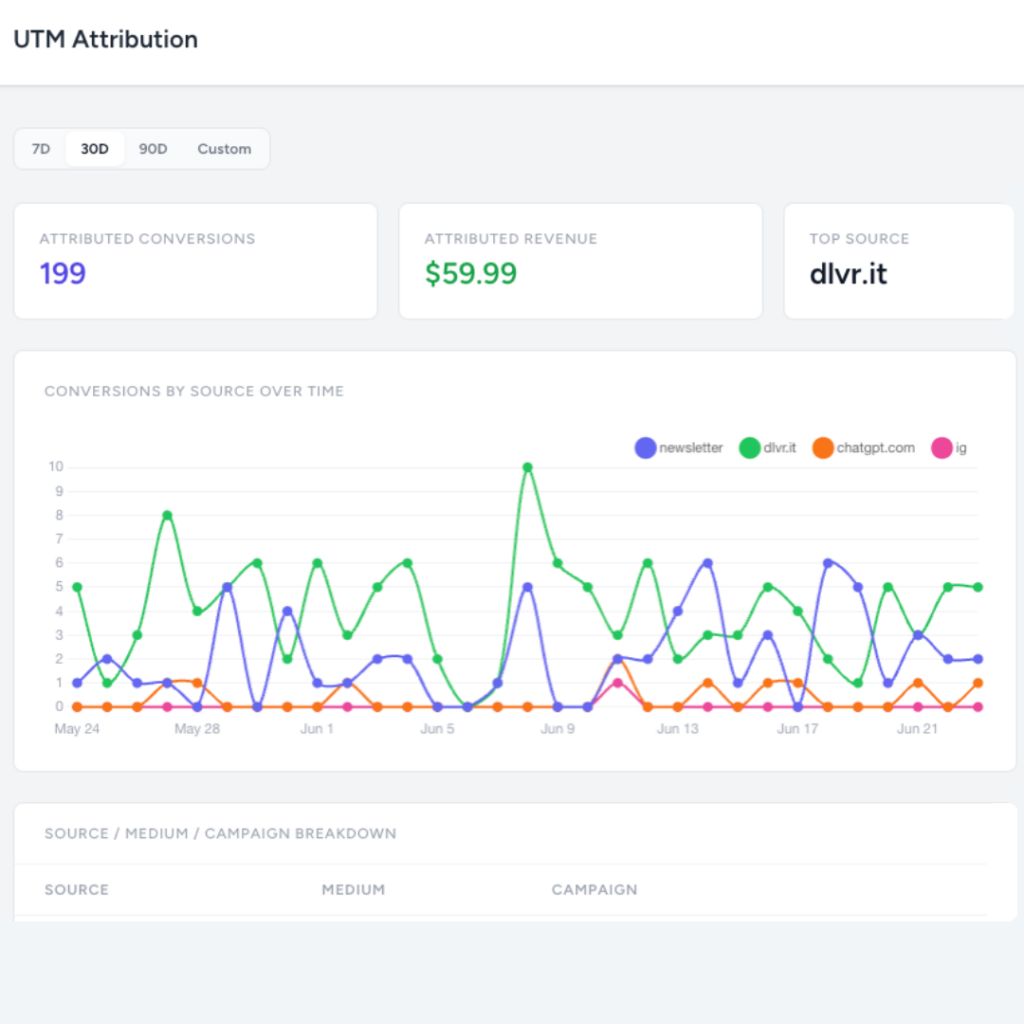
Append standard UTM codes to your links and Insights maps that source data against actual conversions. You see which campaigns, email templates, and platforms turn anonymous visitors into subscribers, so you can put your effort where the revenue is. We're even seeing publishers track paid conversions coming directly from organic ChatGPT reference links, a channel barely anyone was tracking a year ago.
|
Repackage content that's already converting
|
|
Your best growth lever is usually content you've already published. The trick is knowing which pieces draw free readers to pay, and acting before the momentum fades.
|
|
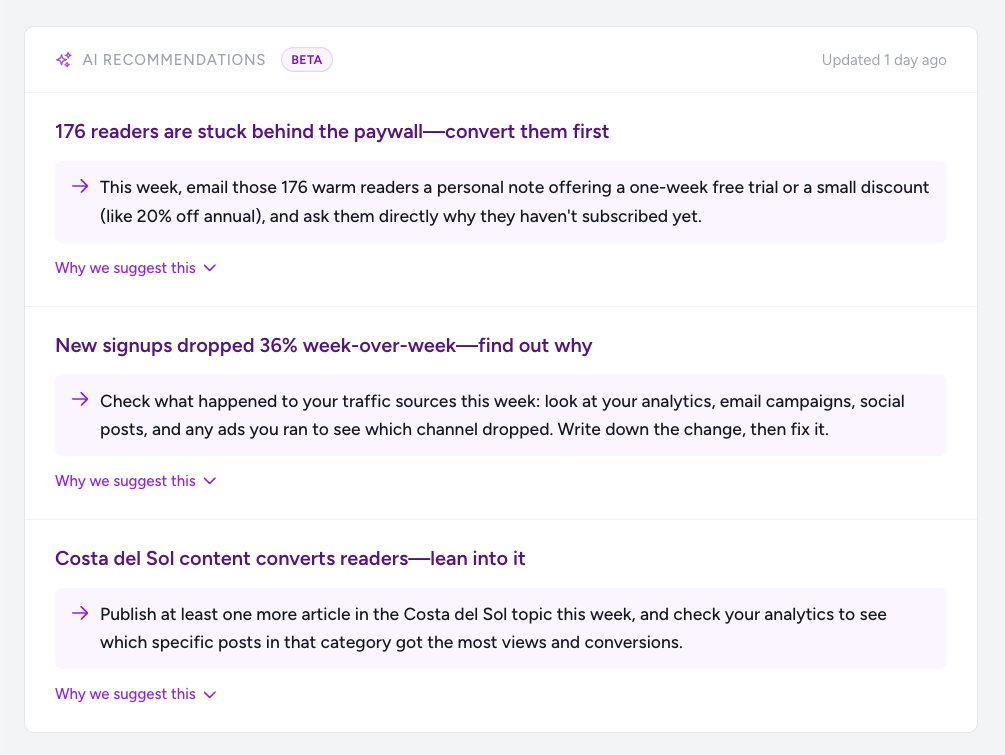
The AI Recommendations module analyzes the behavioral data from your logged-in readers and flags shifts you'd otherwise miss, such as a sudden dip in paywall conversions on a core topic. When it does, the move is simple: pull your top five articles from the past month, read the comments to understand why those pieces landed, and repackage that interest into a dedicated email. You're not creating new demand. You're catching demand that already exists and pointing it at your offer.
|
Let the data set your editorial priorities
|
|
Knowing which stories actually move subscribers tells you where to spend your limited editorial hours.
|
|
Insights highlights your top-performing stories over the last 30 days by subscriber behavior, which goes deeper than raw pageviews. When a region or niche topic keeps showing up, that's a signal to lean in. One publisher shifted to hyper-local coverage on exactly that kind of evidence, and their email list and paid subscriptions grew significantly. Write more of what your paying audience rewards.
|
|
If you don't see the Insights dashboard active in your account, our team needs to securely connect an API key for your site.
|
|
This feature is completely free for all monthly paid plans, so reply directly to this email and we'll handle the setup for you.
|
|
If you're already using Insights and want a second pair of eyes to decode what your reader behavioral data is telling you, let us know. We're happy to jump on a quick strategy call to help you optimize your setup.
|
One more thing: keep the subscribers you've already won
|
|
New signups get the attention, but a saved cancellation is cheaper revenue than a fresh acquisition every time. A reader heading for the exit over price is often one good offer away from staying.
|
|
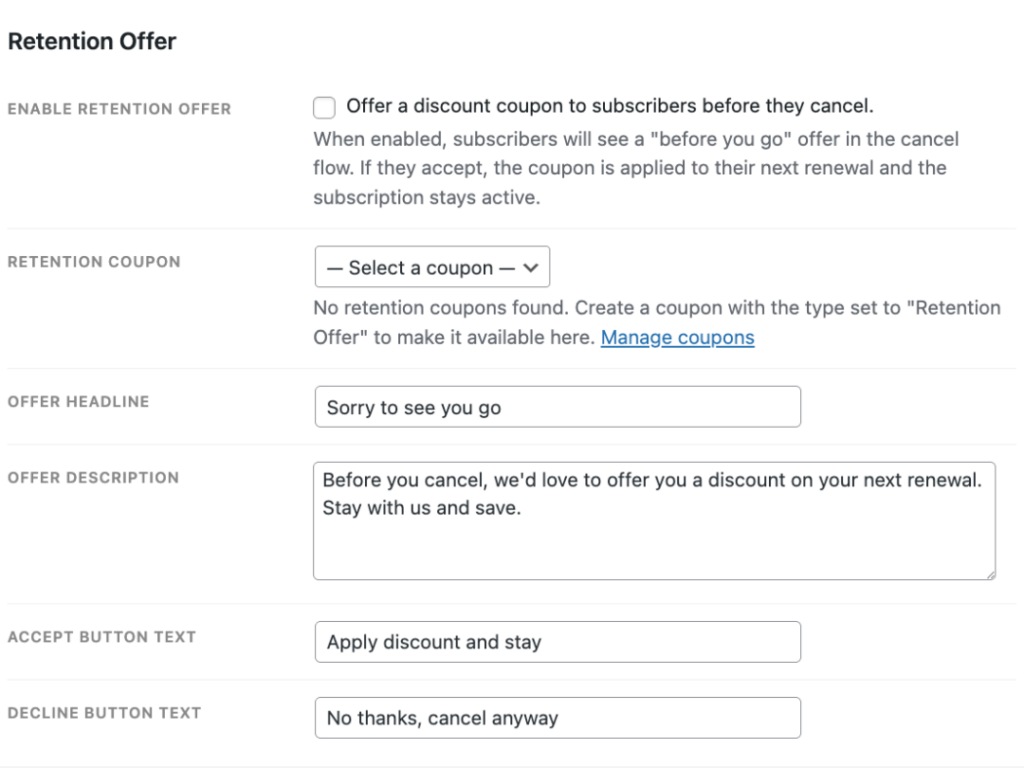
There's a built-in tool in your core settings for exactly this. Recently, one publisher used it to rescue a subscriber who went to cancel over price. The system automatically triggered a 30% discount on their next payment right inside the cancellation flow, and the subscriber stayed active.
|
|
You can set this up for your paying subscribers. Go to Leaky Paywall, select Settings, click Payments, open Recurring Payments, and open Cancellation Settings. From there, connect a coupon code, write your headline, and let the system protect your recurring revenue automatically.
|
|
Open your Insights dashboard and start with the play that fits your biggest leak this week. If you're not sure where that is, reply and we'll take a look together.
|
|
Always happy to help you get more from your dashboard,
|
© 2026 Leaky Paywall
PO Box 855 Grantham, NH 03753 |
|
|
|
|
|