|
Payment receipts and full branding control, live now in Leaky Paywall.
|
Two updates just shipped in Leaky Paywall. Both are about the emails your site sends to subscribers.
|
|
1. Payment Receipt emails
|
|
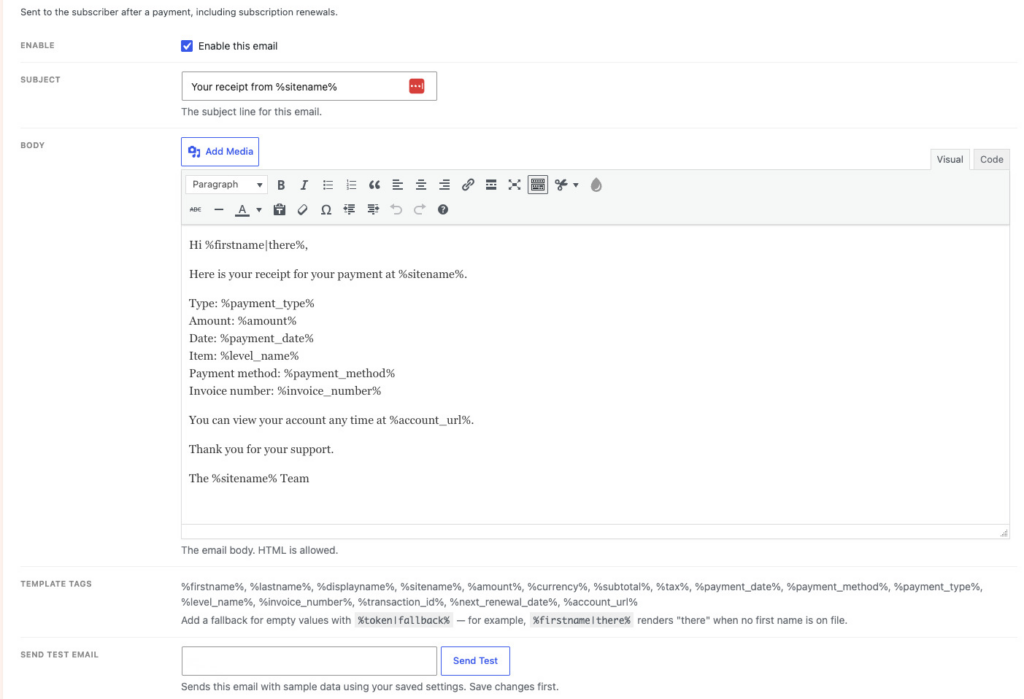
Leaky Paywall now sends a branded receipt every time a subscriber pays, including automatic renewals. No more subscribers emailing you asking, "Did my payment go through?"
|
|
If you're a new Leaky Paywall install, this is already on. If you've been with us a while, it's off by default. You'll see a notice in your dashboard when you're ready to turn it on.
|
|
Need to resend a receipt? Open any transaction and click resend. Done.
|
|
|
|
Learn the strategies. Grab the tools. Turn readers into subscribers. Learn More...
|
|
|
|
2. Branded email templates
|
|
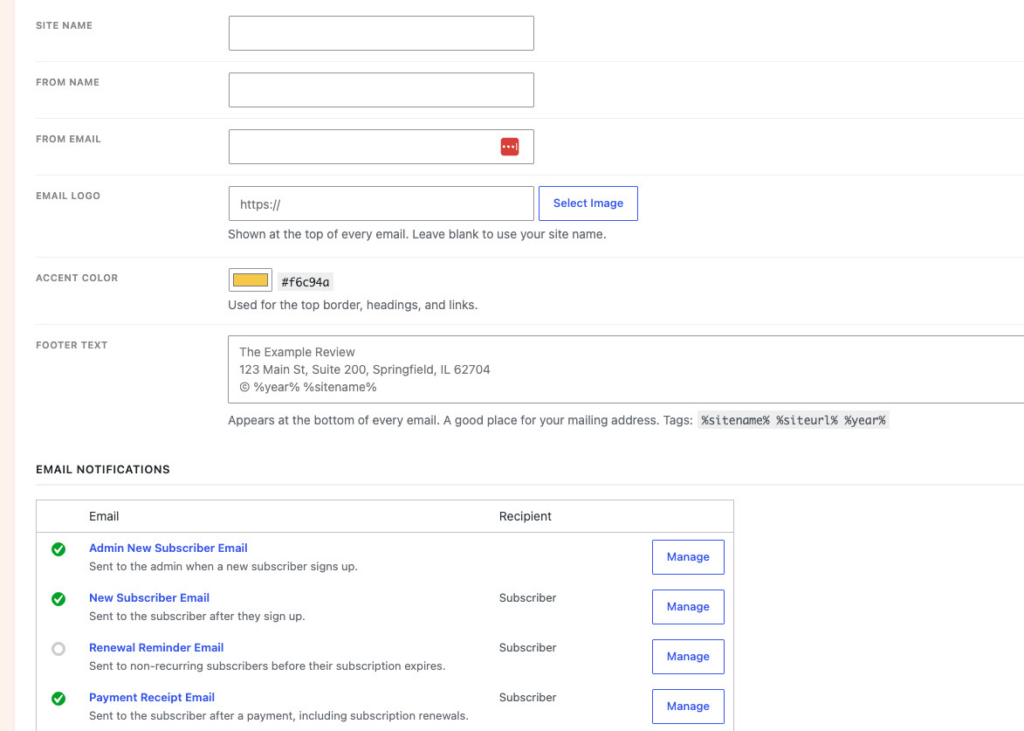
Every email Leaky Paywall sends can now look like it came from you, not from a plugin.
|
|
Head to Leaky Paywall > Settings > Emails and add:
|
- Your logo
- An accent color
- Footer text
|
|
It applies across every email automatically. And every email now has a Send Test Email button, so you can check your work before a subscriber ever sees it.
|
|
Go to Leaky Paywall > Settings > Emails, turn on Payment Receipts if you haven't already, and drop in your logo and colors. Five minutes, and every email from your site looks like it belongs there.
|
|
Happy Publishing,
The Leaky Paywall Team
|
|
|
|
Keep an eye on our podcast for strategy tips, insights & interviews with our publishers
|
|
|
|
|
© 2026 Leaky Paywall PO Box 855 Grantham, NH 03753
|
|