A paywall is a system that gates online content behind a payment requirement. When a reader hits the wall, they have to subscribe or pay to keep reading. The four main paywall types are hard, metered (also called soft), freemium, and hybrid. Each one balances revenue and audience growth differently.
That’s the short answer. The longer answer is that picking the right paywall type is the single biggest decision a publisher makes about how their audience grows. So let’s get specific.
How a paywall works
A paywall has three jobs.
First, it identifies who’s visiting your site. Is this a brand-new reader from Google, a return visitor, a registered free user, or a paying subscriber? Modern paywalls track this through cookies, account logins, and (for the strict ones) server-side checks.
Second, it tags your content. Most paywalls let you decide what’s free, what’s gated, and what’s locked. You can gate by category, tag, post type, or individual article. A magazine might leave news free and gate features. A trade publication might do the opposite.
Third, it enforces the rules. When a reader who shouldn’t see the content tries to access it, the paywall shows the gate. That gate can be a hard “subscribe to read” wall, a softer “register free to continue” prompt, or a behavioral message tailored to the reader’s position in your funnel.
Bottom line: a paywall is a reader-state machine. Use it to put the right message in front of the right reader at the right time.
The 4 main types of paywalls
Here’s the quick comparison:

Each one earns its own section.
Hard paywall
A hard paywall locks every article from the first click. No free read. No sample. Pay or leave.
Looking to grow your publication?
Sign up for expert advice straight to your inbox.This works for two kinds of publishers. The first is the household name with a “must-read” archive. The Wall Street Journal and the Financial Times can do this because their brand pre-sells the subscription. The second is the niche trade publication where the data itself is the product (financial research, legal databases, scientific journals).
For everyone else, hard paywalls are a traffic killer. Google crawlers can’t always read locked content. Social sharing dies because nobody shares a link their friends can’t read. And new readers never get to sample your work before deciding to pay.
That said, hard walls have one underrated use: protecting premium content from AI scrapers. If you gate a section from the first byte, most bots bounce. (More on AI-resistant paywalls here.)
Metered (soft) paywall
A metered paywall gives every reader a set number of free articles per month or week before the wall appears. Some call this a “soft” paywall because the gate only appears after the reader has consumed some content. This is the most common model in news publishing.
The pitch sounds reasonable: let readers sample, then ask for money. The problem is that most publishers set their meters too high to actually work.
Here’s the math. Analytics show the average visitor reads only 1.7 to 1.8 articles per session. If your meter is at 3 articles, most of your traffic never sees the wall at all. You’re not being generous. You’re being invisible.
A 1-article meter at 100,000 monthly visitors generates roughly 70,000 wall impressions. A 3-article meter on the same traffic generates around 30,000. Same site, less than half the asks. That’s a huge amount of revenue left on the table.
And yes, savvy readers can bypass meters with incognito mode (you do it, I do it, your readers definitely do it). That’s a real problem with cookie-based meters. Server-side tracking and account-based metering close most of the leak.
Best setting: 1 free article, then registration prompt. We’ll get to why in a minute.
Freemium paywall
A freemium paywall leaves the content free for everyone and charges for extras. Readers get the journalism without paying. Subscribers get benefits that make the experience better.
Common freemium extras include:
- An ad-free reading experience
- Full-text articles delivered to the inbox so readers don’t have to click through
- A subscriber-only newsletter (a local news publisher might send a free morning brief to everyone and a deeper afternoon edition only to paid subscribers)
- Early access to investigations or print-edition content
- Member events, comments, or community access
The freemium model works when you have content people genuinely want to read but the extras are valuable enough to pay for. Salem Reporter runs a version of this with their subscriber-only afternoon newsletter, which gives paid subscribers a level of access the free audience doesn’t get.
The risk with freemium is unclear value. If the “paid extras” feel like nice-to-haves rather than must-haves, the conversion rate stays low. The publishers who win at freemium are the ones who treat their paid experience as a product, not as an upgrade.
Hybrid paywall
A hybrid paywall mixes rules. Some content is free, some is metered, some is locked. Different audiences see different rules.
A magazine publisher might leave daily news articles open to everyone, lock down the print issue archive for subscribers, and keep sponsored content free for SEO. A local newspaper might let readers from Google through for one article, then trigger a registration prompt, then trigger a paid wall on premium investigations.
This is the model most successful subscription publishers actually run, even when they call it something else. The single-mode paywalls (pure hard, pure metered) are easier to explain but harder to optimize. The hybrid model gives you more levers.
Mexico News Daily runs a hybrid setup. Travis Bembenek (CEO) took the publication from ad-supported to 100% reader revenue over 3.5 years. The site has over a million monthly readers and a growing paid subscriber base, with zero advertising. The model: free articles to bring readers in, registration to capture them, newsletters to nurture, and a paid wall that asks for the upgrade at the right moment. (Full case study here.)
The hybrid model takes more setup than dropping in a one-size meter. The payoff is that you stop forcing every reader through the same door.
The best practice: start with a free registration wall
Whichever paywall type you pick, the highest-leverage move is to add a free registration step in front of it. Most publishers skip this and go straight from “free anonymous reader” to “paid subscriber.” That gap is massive.
Here’s why the registration wall matters. Most readers won’t pay on the first ask because they don’t trust you yet. They need to read your work, get to know your voice, and decide you’re worth supporting. The registration wall lets you capture them before they leave. They trade an email for continued access. You get a way to follow up.
If you run WordPress grab the List Builder registration wall for free.

The numbers are striking. Salem Reporter, a local news site in Oregon, tested a registration wall against a standard in-content newsletter form. The registration wall generated 16 times more signups than the newsletter form, and 20% of those free registered readers eventually converted to paid subscribers. (Full story here.)
Total Rugby League ran a similar setup. After simplifying their registration wall to email + password (instead of a checkout-style form), they grew revenue 56% and lifted registration rates by 831%. (Case study here.)
A niche publisher we work with has 62,754 registered readers from a registration wall set at 1 free article. That’s the list driving all their paid conversions. (How they did it.)
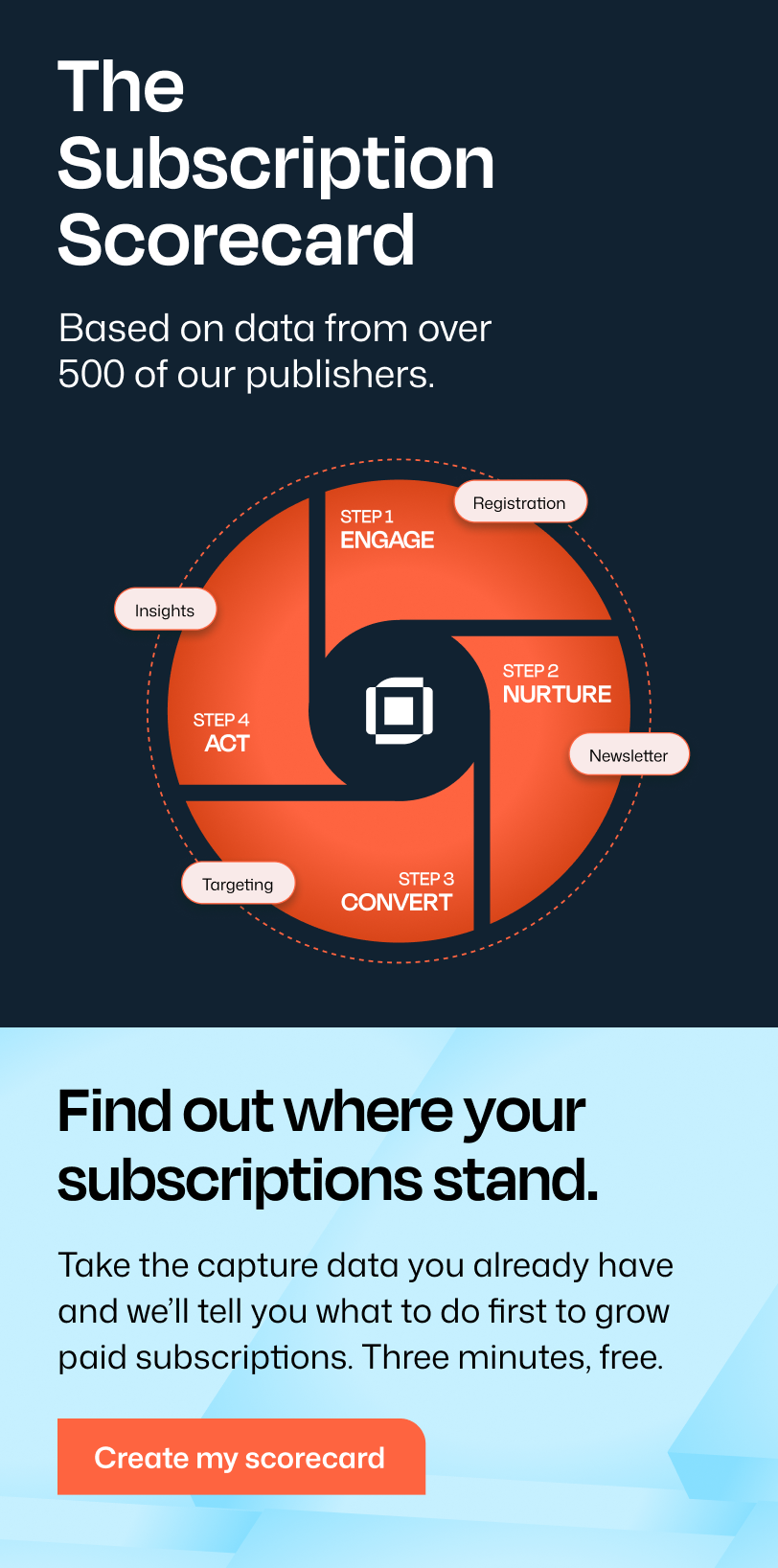
The funnel that works: free article > registration wall > newsletter > paid subscription. Skip the middle steps and you’re trying to convert strangers.

Do paywalls hurt SEO?
Short answer: no, if you set them up correctly.
Google has a specific recommendation for paywalled content: use JSON-LD structured data to declare which sections are gated. This tells Google “you can crawl and index this, but readers will see the paywall.” Done right, your articles still rank.
Two technical points matter:
Server-side gating beats client-side. A client-side paywall loads the full article and hides it with JavaScript. That’s easy to bypass (right-click, view source, done) and it makes Google nervous. A server-side paywall checks the user before content ever leaves the server. More secure, cleaner for SEO.
Page speed counts. Your paywall should be lightweight. If the gate takes 3 seconds to load, readers bounce before they see your offer. Google notices the bounce rate too. The wall that’s fast to render is the wall that converts.
What kills SEO is hard-locking content without flexible side doors. If Google can’t see your article AND social sharers can’t preview it AND new readers have no path in, you’ve cut yourself off from organic growth. The hybrid model exists exactly to avoid that.
What’s the difference between a paywall and a registration wall?
A paywall asks for money. A registration wall asks for an email.
That’s the whole difference. But the strategic implication is bigger than the definition.
A paywall converts readers who are ready to pay. That’s usually 1-3% of cold traffic. A registration wall converts readers who like your content but aren’t ready to pay yet. That’s 3-6% on average, sometimes higher for niche audiences.
If you only have a paywall, you’re asking strangers for money on first contact. Most will leave without giving you anything you can follow up on. If you only have a registration wall, you’ll build a list but never convert it. You need both, and you need them in the right order.
Free content > registration wall > newsletter > paywall > paid. That’s the funnel.
Do paywalls actually work?
They work when they’re paired with a registration wall and an active newsletter. They don’t work in isolation.
Mexico News Daily covers the strategic case: 3.5 years of growth on 100% reader revenue, with no advertising. Salem Reporter and Total Rugby League cover the tactical case: registration walls feeding paid conversions at 16x and 831% improvements respectively.
The pattern is the same in every successful example we see. The publishers who win at reader revenue do three things:
- They use the paywall to identify and convert their most engaged readers, not to block their funnel
- They use a registration wall to capture readers who aren’t ready to pay yet
- They use newsletters to bring registered readers back to the site repeatedly
Skip any one of those three and the system breaks. Most failing paywalls are failing because the publisher set up step 1 and called it done.
Which paywall is right for your site?
Depends on what you’re solving for.
If you have an established brand and an existing email list, a hard paywall on premium content works. Your audience already trusts you. They’re not browsing for a free sample.
If you’re a news publisher with steady search traffic, a hybrid model with a 1-article meter plus a registration wall is the workhorse. You stay visible to Google and social. You capture engaged readers as emails. You convert them through the newsletter.
If your content is the growth engine but you have valuable extras, freemium makes sense. The journalism stays free and shareable. Subscribers pay for ad-free reading, a subscriber-only newsletter, or full-text email delivery.
If you’re a niche or trade publication, the hybrid model works but you can usually run a tighter meter. Your audience is smaller but more committed. Don’t overthink it. Free preview, register to continue, paid for the depth.
If you’re a nonprofit publisher, you can’t legally run a transactional paywall, but you can use friction. One free article, then register for 24 hours of unlimited access, then a donor upgrade prompt. The content stays technically free. The friction drives the upgrade.
The wrong question is “which paywall should I pick?” The right question is “what’s the next reader state I want to move people into?” Pick the wall that does that.
What to look for in a WordPress paywall
If you’re on WordPress (and most independent publishers are), the paywall has to integrate at the CMS level. Bolted-on solutions fight you on every customization.
A few criteria to evaluate:
JSON-LD support out of the box. Your paywall should tell Google what’s gated so your articles can still rank.
Server-side enforcement. Not just a JavaScript curtain. Real content protection happens before the page renders.
Native Stripe (not middleware). Platforms that act as a payment middleman between you and Stripe usually have worse retry logic on failed payments. Native Stripe subscriptions let Stripe’s machine learning handle retries directly, which can cut involuntary churn by 20-30%.
Newsletter integration. Your paywall data should feed your newsletter tool. Otherwise you’re maintaining two parallel subscriber lists, which is a recipe for support headaches.
Registration wall as a first-class feature. Not an afterthought. The registration wall is the highest-leverage piece of the funnel, so the platform you pick should make it easy to set up and customize.
Real data ownership. Your subscriber list is your business. Make sure you can export everything (including payment history) if you ever need to leave the platform.
(We compared the top 7 WordPress paywall plugins here if you want a side-by-side.)
Final thoughts
A paywall is a strategic tool, not a switch. It defines how you interact with your audience: who you let in, when you ask for the relationship, and how you turn casual readers into supporters.
The publishers winning at reader revenue right now aren’t using the most aggressive walls. They’re using the smartest combination of free content, registration, newsletters, and paid access. The wall is one piece. The funnel is the whole picture. Leaky Paywall is the WordPress paywall platform we built for publishers running this kind of funnel. Mexico News Daily, Salem Reporter, Small Boats Magazine, and Total Rugby League all run on it. If you’re trying to grow reader revenue on WordPress without giving up search traffic, that’s what it’s for.